|
PLX LOGGER SOFTWARE
Version 3.0 Now available!
PLX Logger 3.0 is free to download and NO
license is required if you are using the PLX iMFD Data Logger and/or
the iMFD SM to USB adapter. This allows you to obtain, datalog, and
analyze any PLX iMFD sensor data for free via the USB port. A license
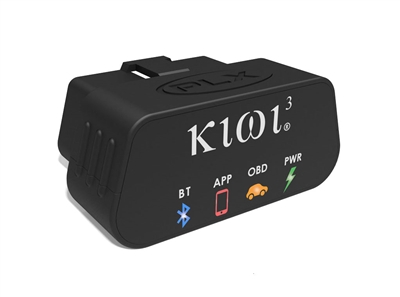
must be purchased if you choose to use the hardware devices Kiwi Wifi,
Kiwi Wifi + iMFD, Kiwi Bluetooth and the OBDII advanced diagnostics features. The
license may be purchased
here. Please allow 24-48 hours for delivery of license key.
Version 3.0 Build 2.0.11 6/10/09
- Fixed bug with Kiwi Wifi connections
Version 3.0 Build 2.0.8 10/9/08
- Software completely revamped.
- Works with all iMFD sensors.
Version 2.2
Version 2.2 Improvements 2/1/06
- New Feature: 2D Logger compare mode added for overlay analysis
- New Feature: Playback starts where cursor position is located for playback from any position
- Fixed Export to excel bug
Version 2.1 Improvements 8/15/05
- New Feature: Improved labeling for 2D Logger, 3D Logger, 3D Render
- New Feature: 3D Render window resizeable
- New Feature: 3D Logger, 3D Render support for color spectrum
- New Feature: Improved cursor support for 2D Logger
- New Feature: Playback prerecorded data in realtime
- New Feature: Export to Excel spreadsheet 2D Logger, 3D Logger
- New Feature: 3D Logger support for standard deviation data
- New Feature: Saves corresponding dash configuration with each log file
- Fixed R-Series upload bug when gauge inputs are changed
- More efficient use of system CPU resources
Version 2.0 Improvements 4/1/05
- New Feature: R-Series flash memory download support via USB 2.0
- New Feature: More fuels added to setup analog menu (Lambda, Gasoline, Diesel, Methanol, Ethanol, LPG, CNG)
- New Feature: PLX R-Series EGT support for analog menu (Celsius, Fahrenheit)
- New Help Documentation: Updated help for R-Series interface to PC
Version 1.4 Improvements 7/29/04
- New Feature: Manual Y-Axis zooming for 2D Logger
- New Help Documentation: USB RX Module, Configure Speed, Configure Analog, Configure Gauges, 2D Logger, 3D Logger.
- *Notes: Saved dash configurations from version 1.3 are not compatible with version 1.4. They will open, but will not function 100%. Saved logger sessions are compatible with version 1.1, 1.2, and 1.3.
Version 1.3 Improvements 5/19/04
- New Feature: 3D Logger. X,Y,Z Axis Plotting (16X16 Matrix)
- New Feature: 3D Rendering.
- Improved visibility of gauges.
- More gauge customization options. (wallpaper, gauge transparency, text size, digital readout select)
- Improved plotting efficiency.
- Improved wireless sensitivity
- *Notes: Saved dash configurations from version 1.2 are not compatible with version 1.3. They will open, but will not function 100%. Saved logger sessions are compatible with version 1.1 and version 1.2.
Version 1.2 Improvements 5/4/04
- Implement noise filtering algorithm for high freq spikes
- Added support for PLX G Sensor analog setup table
- Remembers logger gauge presets upon exit and load
- Resized windows and buttons of dash and logger for touch screen applications
- Improved data reception performance, less CPU usage, greater sensitivity.
- Improved logger erase function
- *Notes: Saved dash configurations from version 1.1 are not compatible with version 1.2. They will open, but will not function 100%. Saved logger sessions are compatible with version 1.1.
Version 1.1 Improvements 4/15/04
- Increased sampling resolution for speed signals
- USB Port# minimum value changed from 4 to 3 for Windows XP default port assignment
- Setup speed inputs Units/Freq resolution increased to 3 decimal places
- Remembers dash configurations on exit and recalls on program start
|